OpenAI
Getting an API Key
-
Visit the OpenAI API Keys page
-
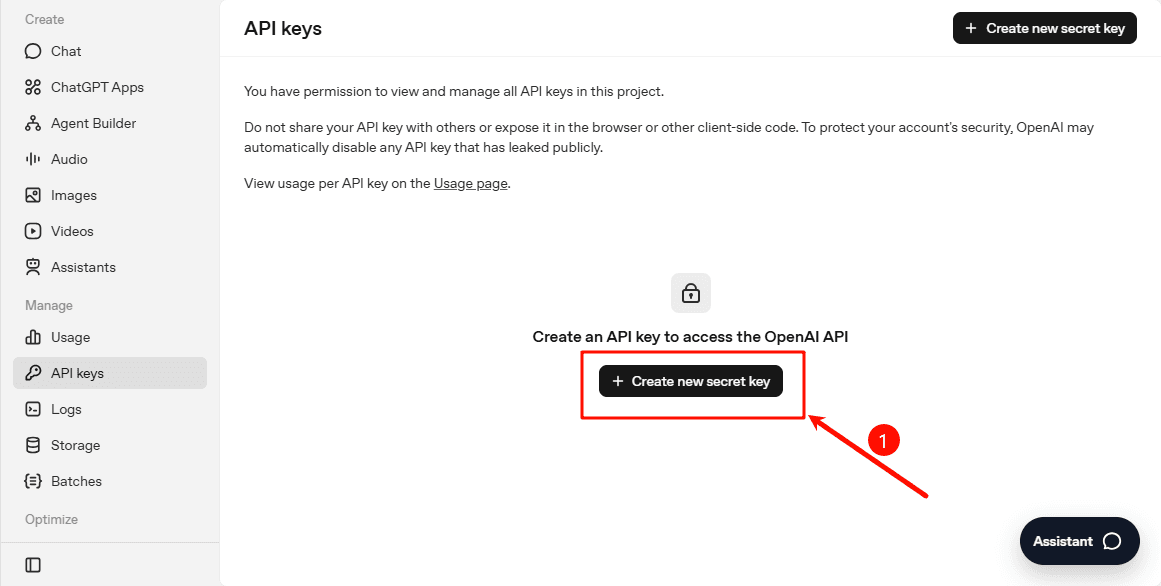
Click the "+ Create new secret key" button
-
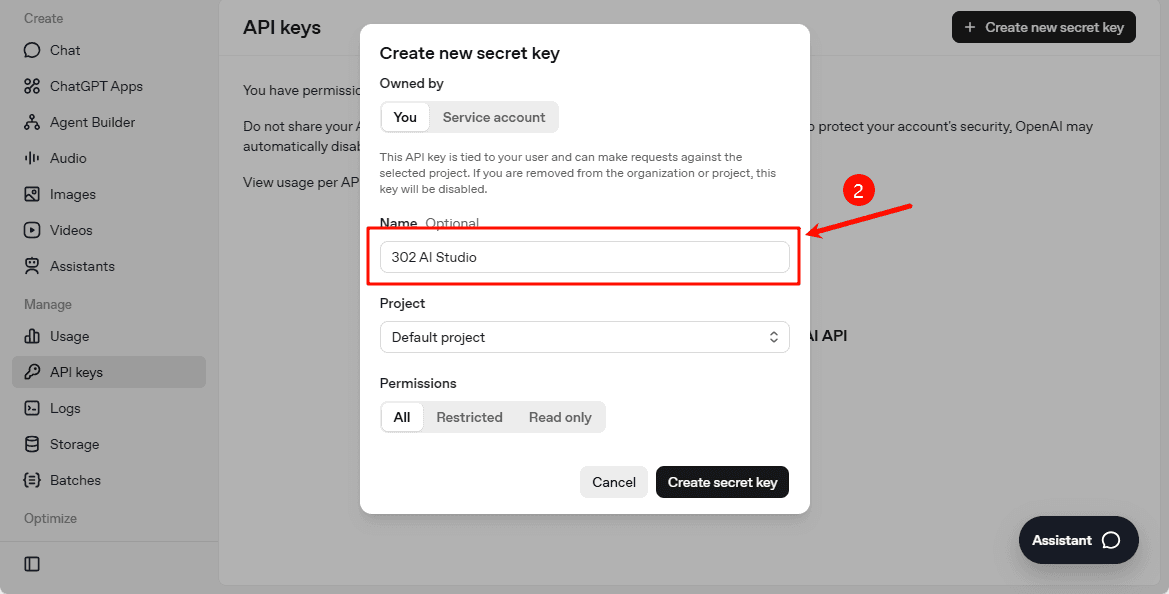
Name the API Key (optional)
-
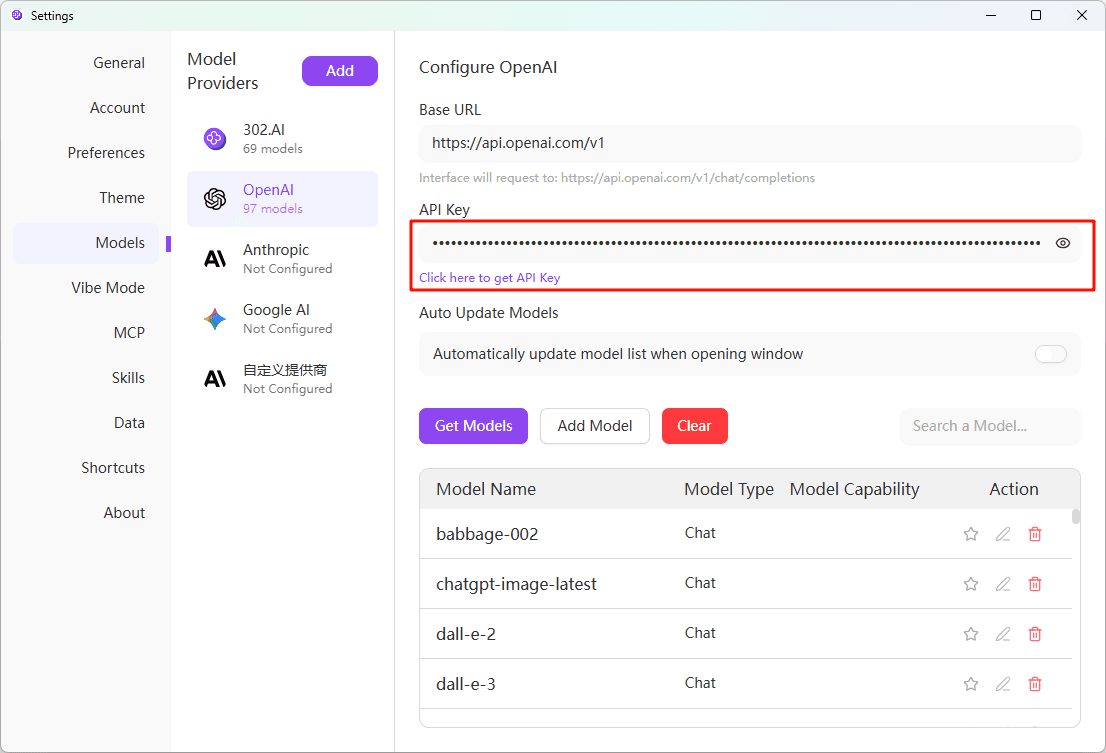
Copy the generated API Key and open 302 AI Studio, select "Models" → "Model Providers" tab, find and click "OpenAI" in the provider list, and enter the key you just obtained
-
Click the "Fetch Models" button, and the system will automatically retrieve the available model list from OpenAI
Related Links
Important Notes
- OpenAI services cannot be used directly from mainland China (except Taiwan), and a proxy configuration is required
- You need to have available balance to use the API