Incognito Mode
302 AI Studio provides an incognito mode feature that allows you to have private conversations without leaving any history records.
What is Incognito Mode?
Incognito mode is a privacy protection feature. Conversations in this mode:
- No History Saved - Conversations won't appear in your chat list after closing
- No Cloud Sync - Conversation content is not uploaded to servers
- Delete on Close - All content is immediately cleared when you close the chat window
- Completely Private - Ideal for handling sensitive information or temporary testing
How to Use Incognito Mode
Starting Incognito Mode
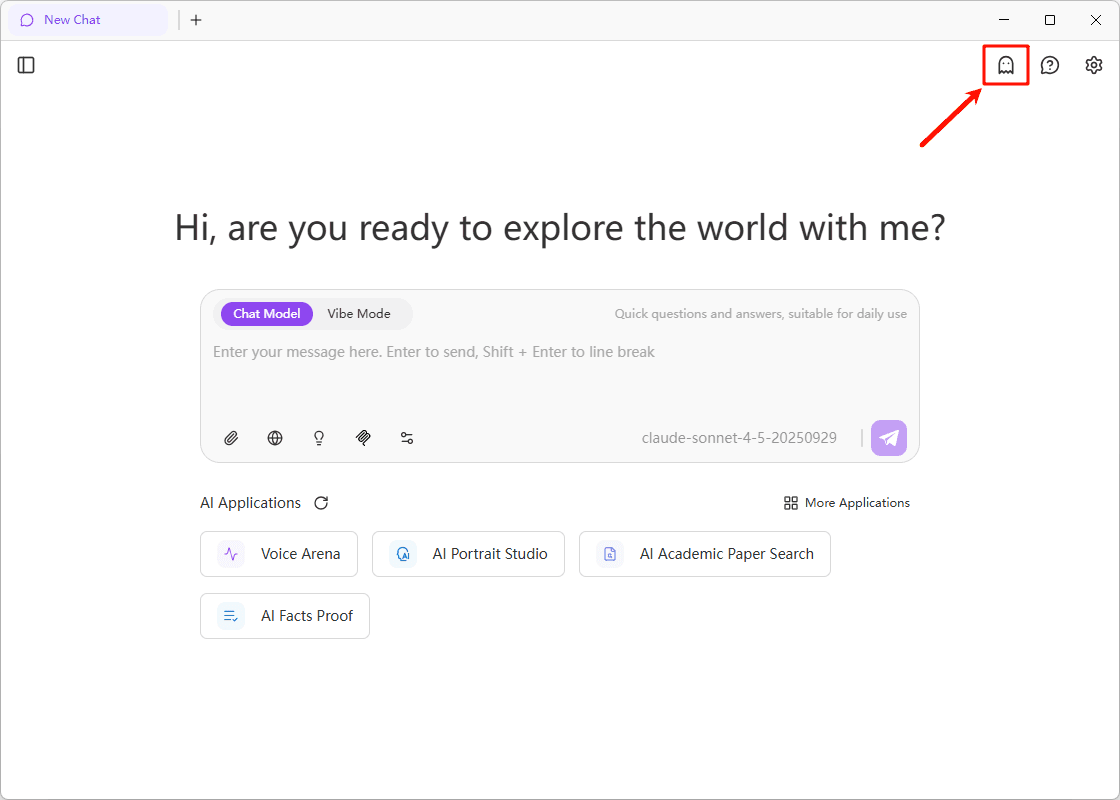
Click the "New Incognito Chat" button in the upper right corner of the main interface to start an incognito mode conversation.
Use Cases
Incognito mode is suitable for the following scenarios:
| Scenario | Description |
|---|---|
| Sensitive Information | Handling personal privacy, business secrets, or other sensitive data |
| Temporary Testing | Quick feature testing or trying new ideas without leaving records |
| Code Debugging | Debugging code snippets containing sensitive data |
| One-time Consultation | One-time inquiries that don't need history preservation |
Important Notes
Important
- Incognito mode conversations cannot be recovered after closing. Make sure to save important information before closing
- Incognito mode only prevents local record storage; conversation content is still sent to AI models for processing
- Avoid handling extremely sensitive information in incognito mode
Privacy Protection
Local Data Processing
Incognito mode conversation data is only stored in browser memory and is not written to local storage or databases.
Differences from Normal Mode
| Feature | Normal Mode | Incognito Mode |
|---|---|---|
| History Records | ✅ Saved | ❌ Not Saved |
| Cloud Sync | ✅ Synced | ❌ Not Synced |
| Session Recovery | ✅ Recoverable | ❌ Not Recoverable |
| Export Function | ✅ Supported | ⚠️ Current Session Only |
FAQ
No. Incognito mode only affects data storage methods and does not impact AI model processing capabilities or response quality.
Currently not supported. If you need to save conversation content, manually copy or export it before closing.
Yes, incognito mode supports all conversation features, including file uploads, code execution, Vibe Coding, and more.