macOS / Linux
Instructions
Install Local Environment
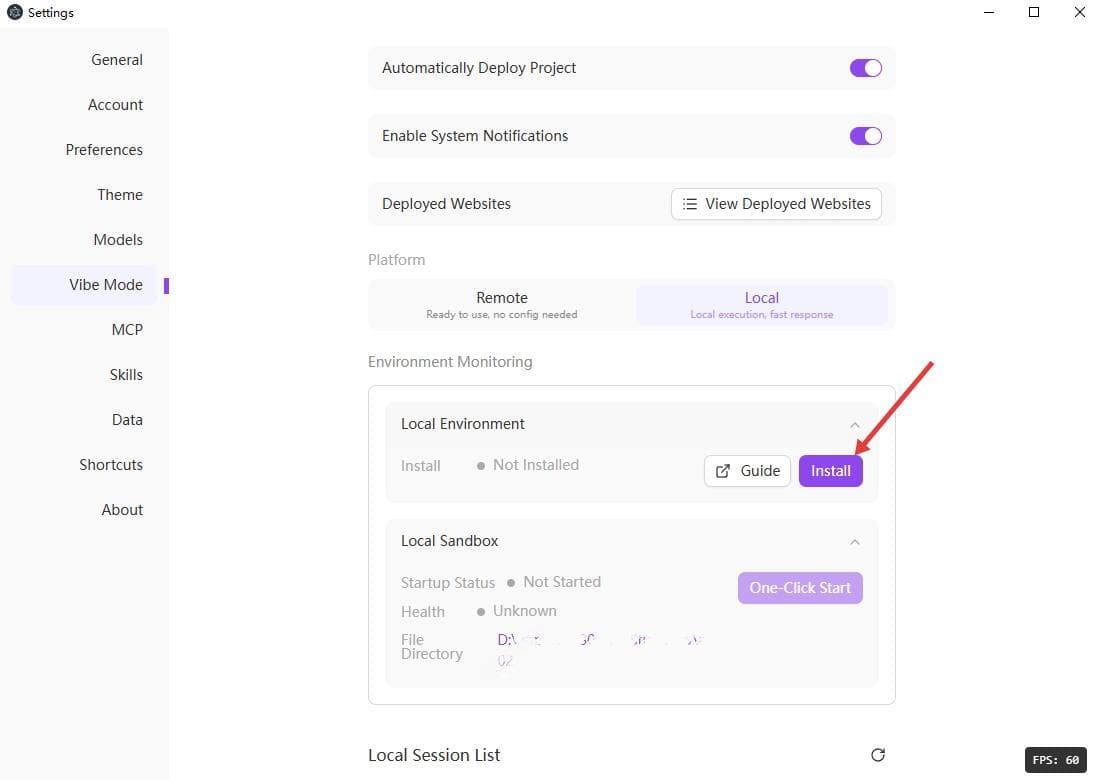
In Vibe mode settings, select "Local" platform, and click the "One-Click Install" button to install local environment dependencies.
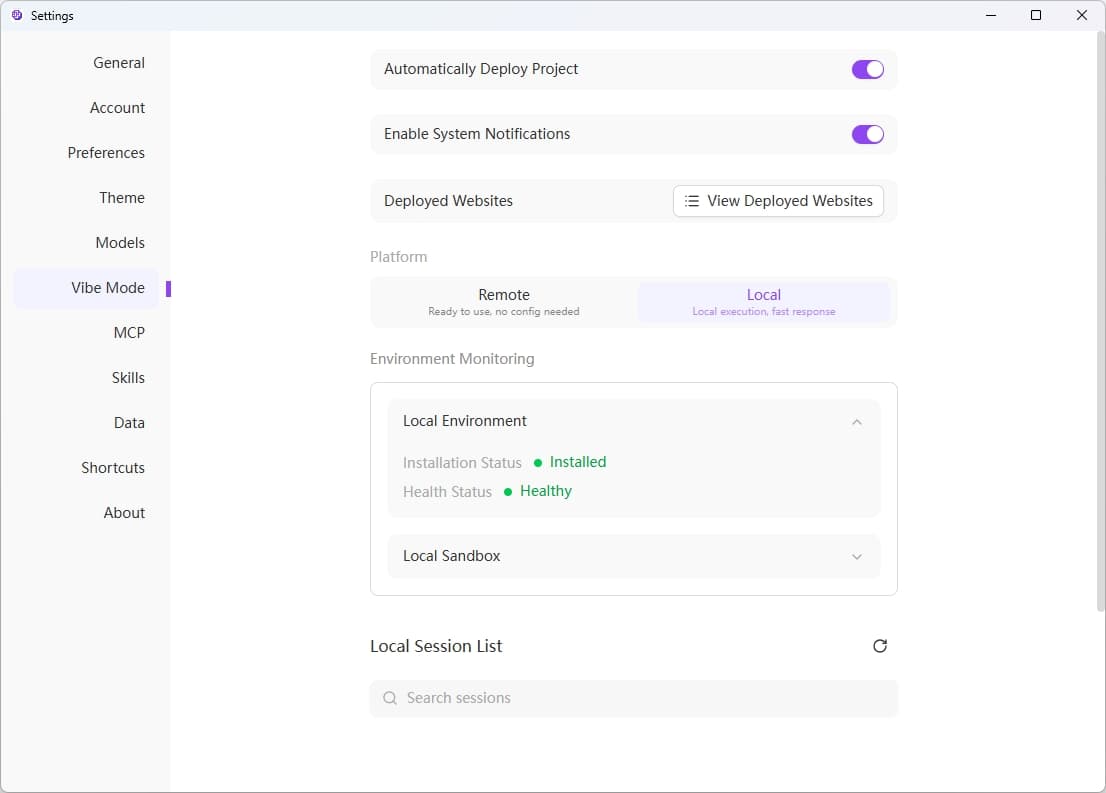
After installation is complete, the installation status will show "Installed" and the health status will show "Healthy".
Start Local Sandbox
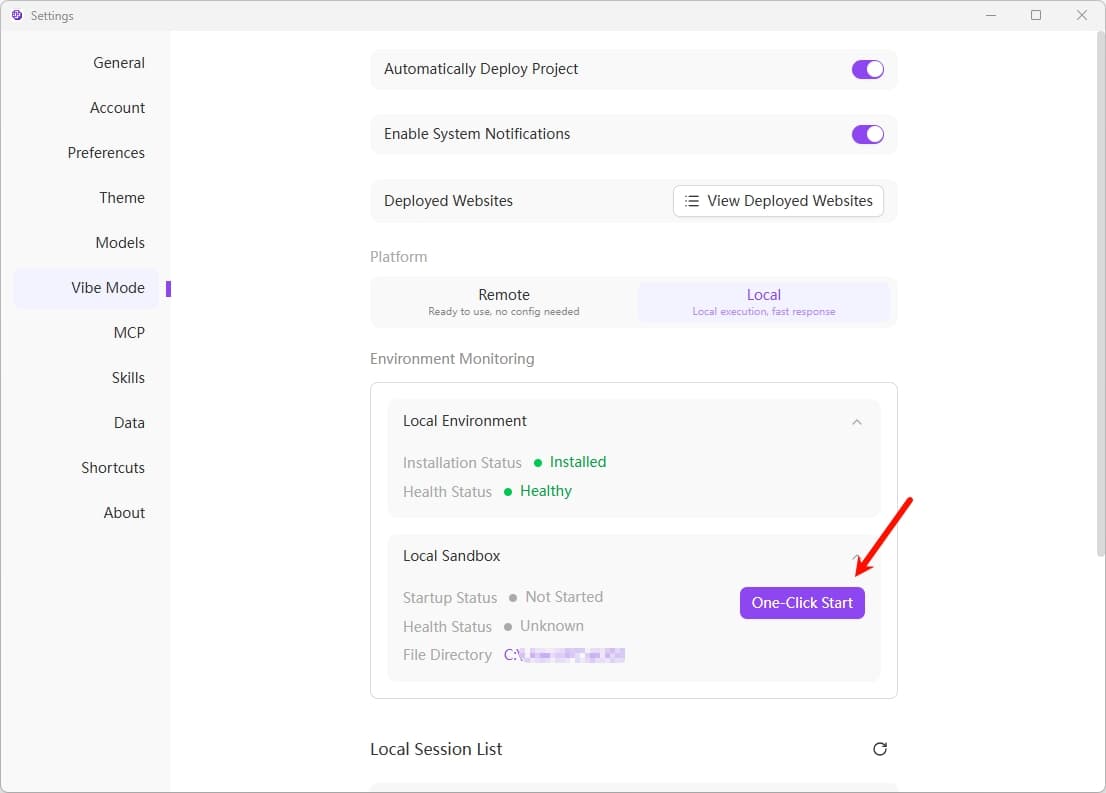
Click the "One-Click Start" button to start the local sandbox.
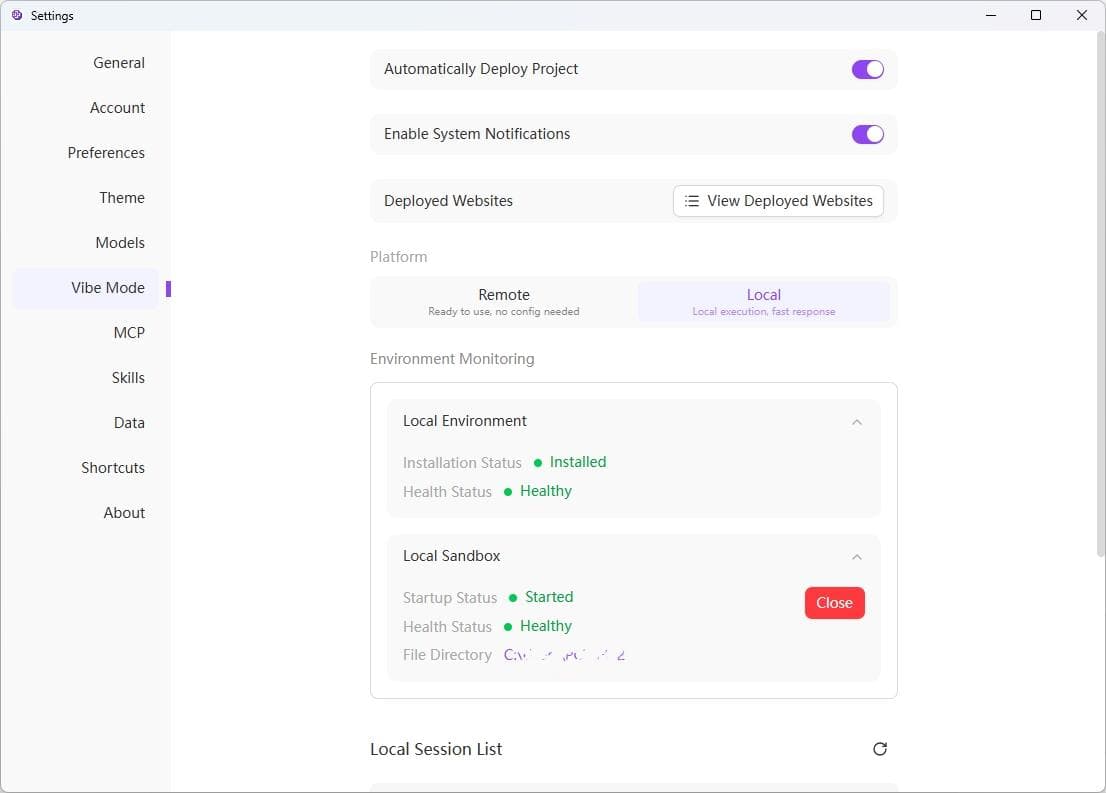
After successful startup, the startup status will show "Started" and the health status will show "Healthy". You can click the "Close" button at any time to stop the sandbox.
File Directory Management
- Modifying mount directory is not allowed at this time
- Clicking on file directory will automatically open the folder
Auto Initialization
When using Vibe mode local chat, the local sandbox environment will be automatically initialized without manual activation.
Log Viewing
The log at Podman section is only the installation log, used to view information during the installation process.
Close Local Sandbox
When the client is closed, the system will automatically close Podman.
Notes
- First startup may take a long time to download images
- Ensure sufficient disk space (at least 10GB available space recommended)
- Regularly update container images to get the latest features
- Resources are automatically cleaned up when closing the client
- Some Linux distributions may require additional cgroups v2 configuration