Plan Mode
302 AI Studio provides a powerful Plan Mode that allows AI to think through and design implementation plans before making any changes to your code.
What is Plan Mode?
Plan Mode is a plan-first, execute-later workflow. When you give AI a task, instead of immediately modifying your code, it will:
- Analyze requirements - Understand what you want to achieve
- Design approach - Think through different implementation strategies
- Create detailed plan - Break down the task into specific steps
- Wait for your approval - Present the plan for your review
Why Use Plan Mode?
Plan Mode is particularly useful in the following scenarios:
- Complex refactoring - When you need to restructure large amounts of code
- Architectural decisions - When multiple implementation approaches exist and trade-offs need to be considered
- Unclear requirements - When you want to explore options before making decisions
- Learning and review - When you want to understand the implementation approach before execution
- Risk control - When you want to validate the strategy before making changes
Plan Mode helps you maintain control over the development process while leveraging AI's analytical capabilities.
How to Use Plan Mode
Switching to Plan Mode
When you have a task that requires careful planning:
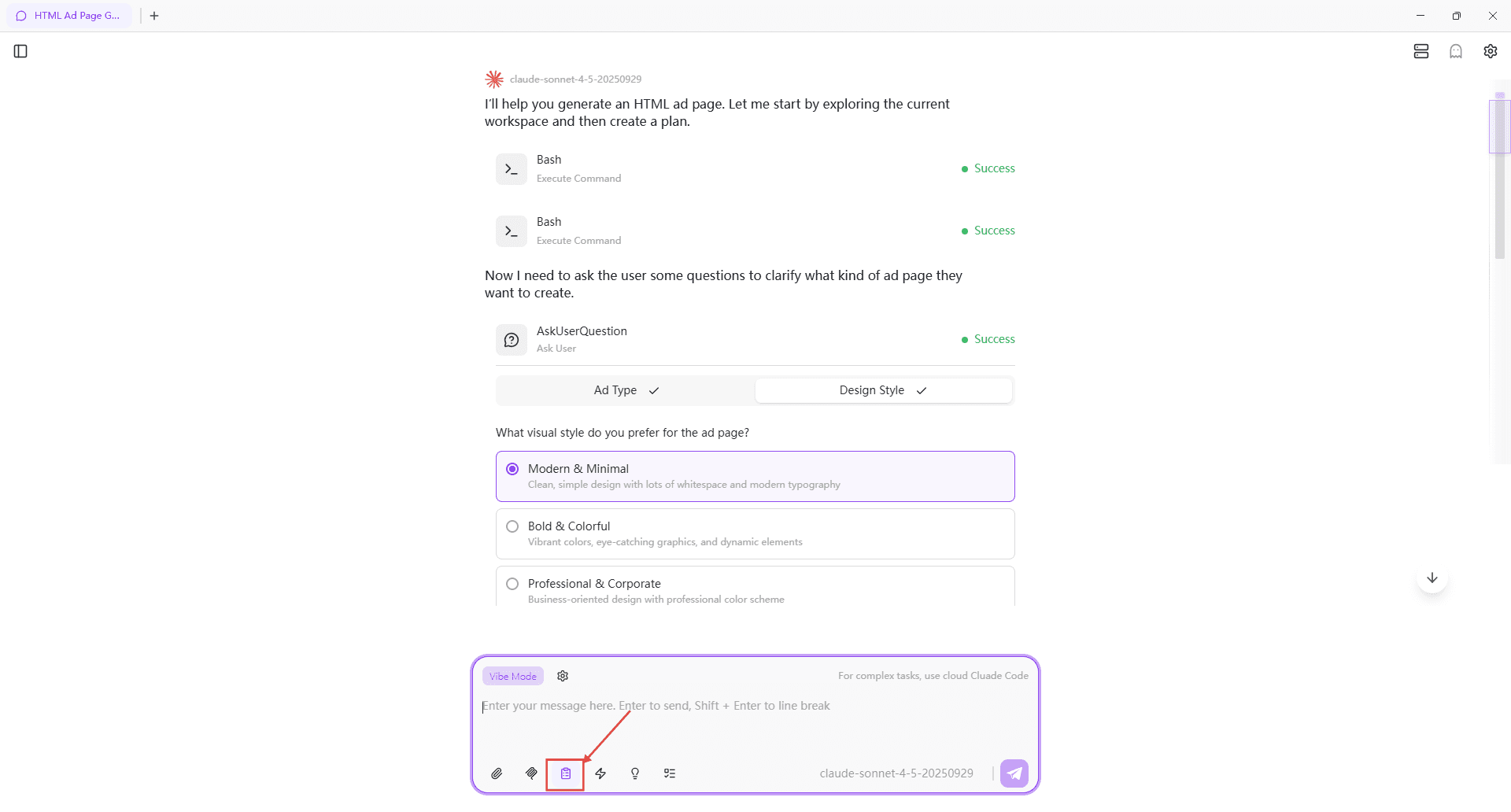
- Select Vibe mode
- Click the "Plan Mode" button in the input box, or use the shortcut
Shift+Tab - Describe your requirements in natural language
- AI will analyze and create a plan without modifying any files
You can use the shortcut Shift+Tab to quickly switch to Plan Mode.
Reviewing the Plan
After AI generates a plan, you will see:
- Problem Analysis - AI's understanding of the task
- Proposed Approach - The strategy AI recommends
- Implementation Steps - Detailed breakdown of execution steps
- Potential Risks - Issues or trade-offs to consider
- Alternative Options - Other viable implementation approaches (if applicable)
Approving and Executing
After reviewing the plan, you can:
- Approve - If you agree with the approach, approve the plan
- Request Changes - Ask AI to modify specific aspects of the plan
- Switch to Execution Mode - AI automatically switches to Agent Mode
- Implementation - AI makes changes according to the approved plan
Best Practices
When to Use Plan Mode
✅ Use Plan Mode when:
- The task involves multiple files or systems
- You're unsure about the best implementation approach
- The changes have significant architectural impact
- You want to understand the strategy before implementation
- The task is complex with multiple steps
❌ Skip Plan Mode when:
- The task is simple and straightforward
- You need quick fixes or minor changes
- The implementation approach is obvious and well-defined
- You're already confident about the implementation strategy
Getting Better Plans
To get the most useful plans from AI:
- Be specific - Clearly describe what you want to achieve
- Provide context - Mention relevant files, constraints, or requirements
- State preferences - If you have preferred approaches, mention them
- Ask questions - Request AI to consider specific aspects or trade-offs
Iterating on Plans
Don't hesitate to refine the plan:
- Ask AI to elaborate on specific steps
- Request alternative approaches
- Question assumptions or decisions
- Add or remove requirements
A well-refined plan saves implementation time and reduces the need for rework.