Core Features
This article provides a detailed introduction to the core features of the 302 AI Studio Vibe Coding mode, helping you unlock its full potential.
What is Vibe Mode?
Vibe Mode is powered by Claude Code technology, packing robust AI programming capabilities into an isolated sandbox environment. You don’t need to know any programming language—just describe what you want in natural language, and the AI will implement it for you.
302 AI Studio offers three runtime editions, selectable from the Vibe mode settings popup:
| Version | Features |
|---|---|
| Cloud Sandbox | Zero-config, ready to use |
| Cloud Host | Dedicated instance, persistent runtime |
| Local | Local deployment, free to use |
Getting Started
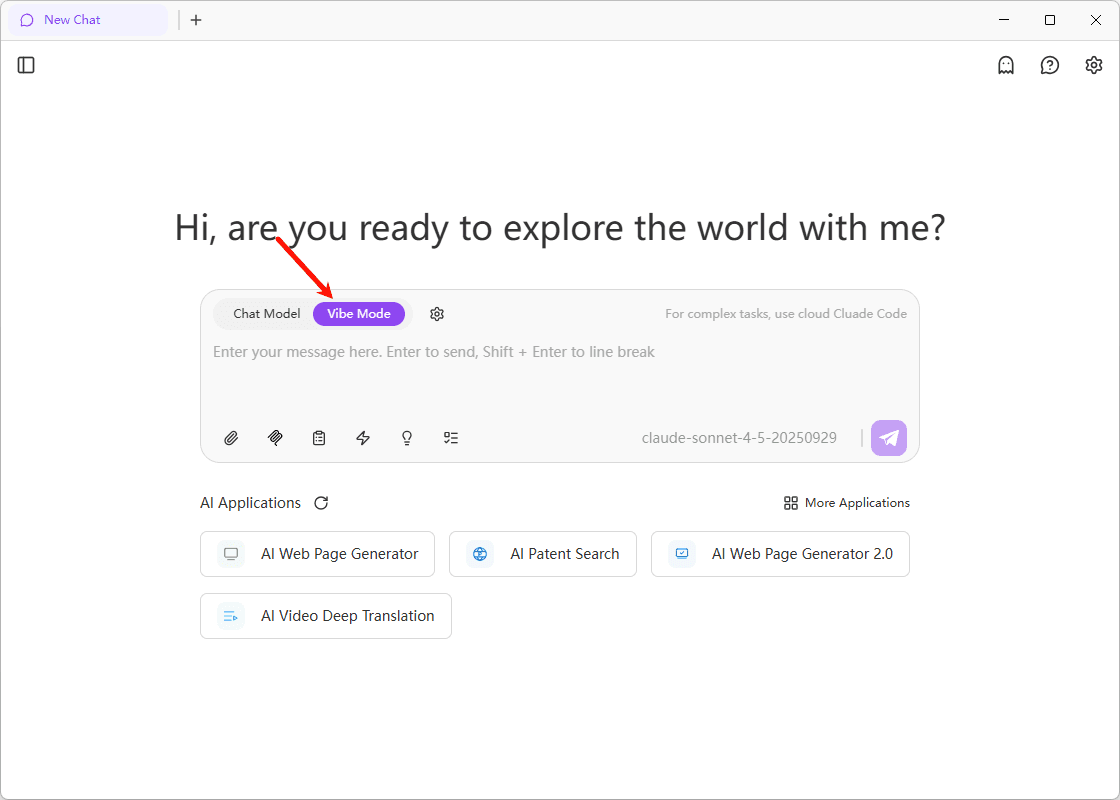
Choose Runtime Version and Configure
Click the gear icon next to "Vibe Mode." Choose your desired runtime (Cloud Sandbox / Cloud Host / Local), complete the relevant configurations, and click "Enable" to launch the sandbox.
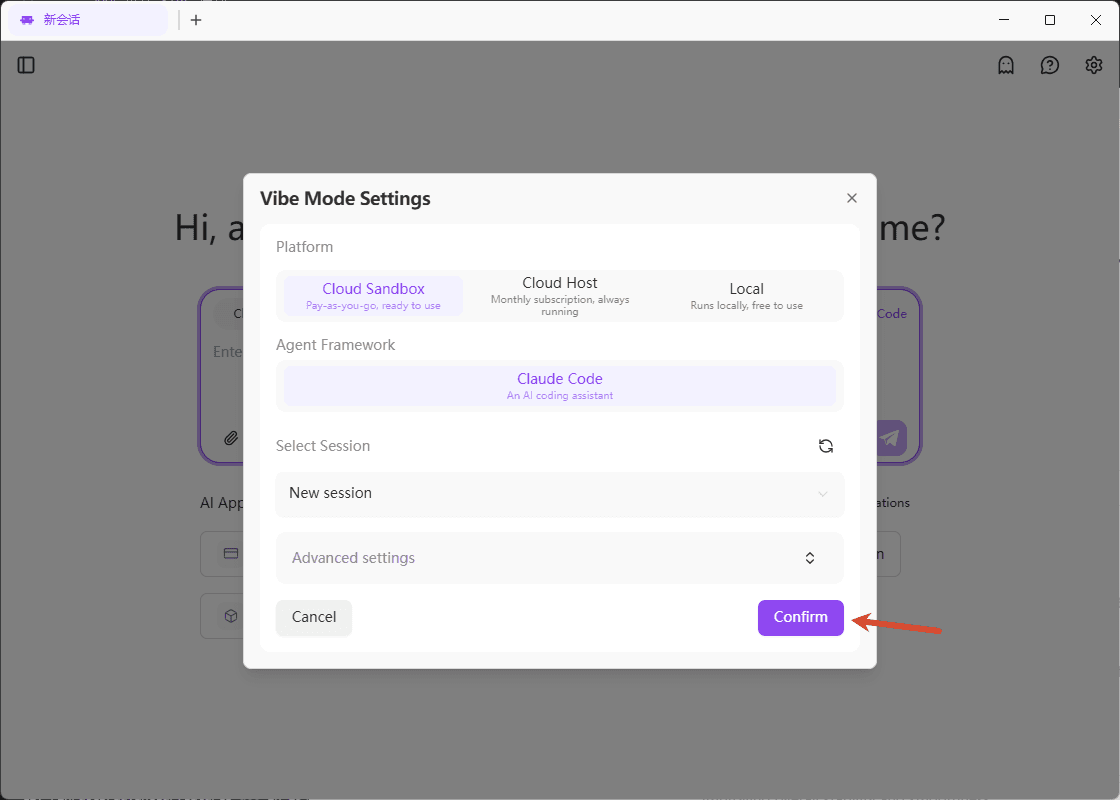
Start Coding
Once the sandbox starts, you can directly describe your needs in natural language. The AI will automatically generate code, create projects, and even deploy them online.
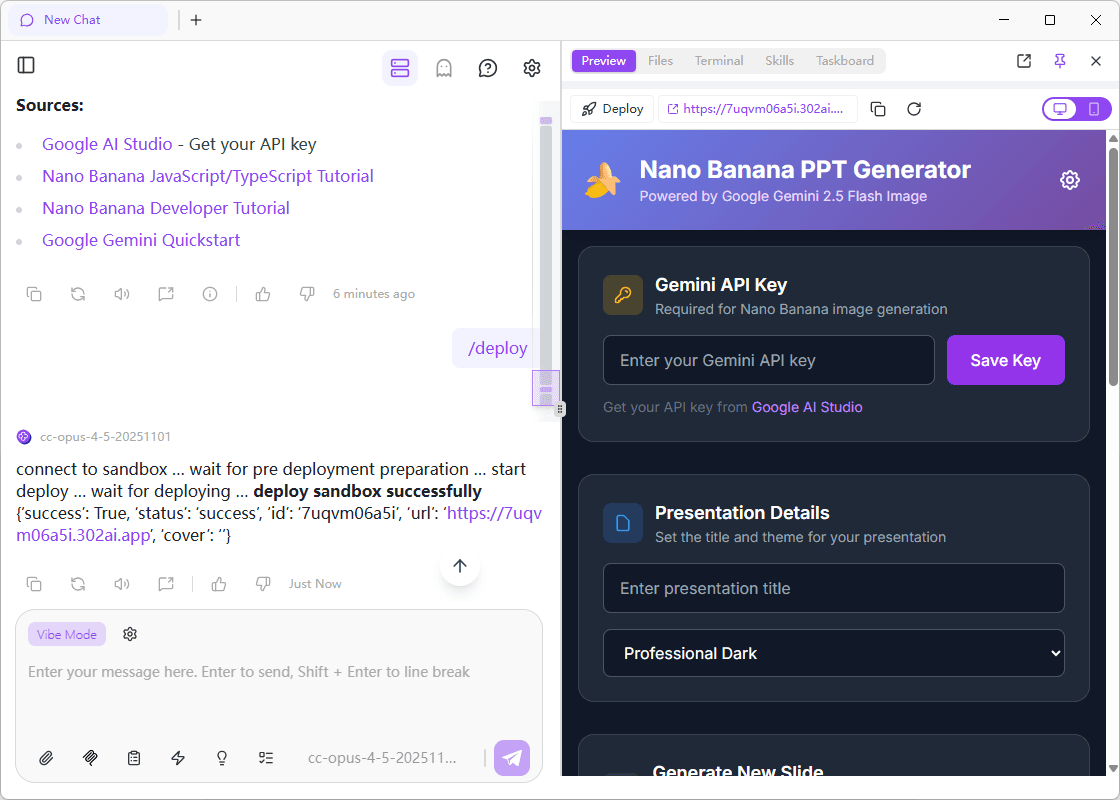
At this point, you’re ready for Vibe Coding—truly zero-config, ready to use.
Notes
Account Balance
Vibe Mode requires a certain account balance to run the sandbox. Please make sure your 302.AI account has enough balance, or top up before starting.
Pricing Details
Cloud Sandbox Pricing
The Cloud Sandbox for Claude Code consists of two parts:
- Sandbox Runtime Fee: $0.0005 per second
Billing is based on the actual runtime of the model. Idle time in the sandbox is not charged. For example, if the model is used for 5 minutes, the cost is 5 × 60 × 0.0005 PTC, about 1 RMB.
- LLM Call Fee: Charged based on the model you use.
You can use the custom model feature of 302.AI and choose models from third-party platforms—this way, model usage can be free.
Cloud Host Pricing
The Cloud Host version is a monthly subscription service at 20 PTC / month with auto-renewal.
Local Version Pricing
The Local version is completely free—just install Docker / Podman locally to use it.
For more details, please refer to the Pricing Guide.
🖥️ Real-Time Preview
Click "Open Agent Preview" in the top-right corner of the chat window to preview your work live while the AI codes.
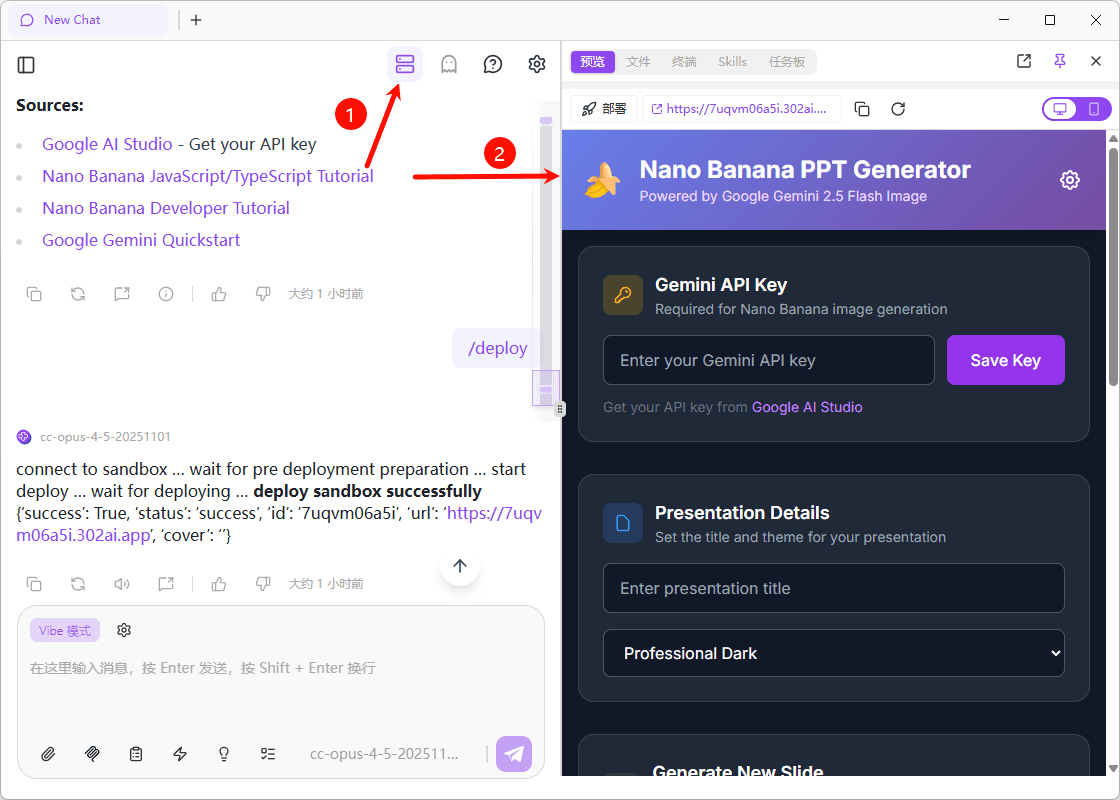
This function allows you to:
- See running results in real time
- Instantly capture and send screenshots with your feedback
- Communicate with the AI efficiently for fast iteration
Multiple Preview Modes
The preview window supports three view modes—switch any time:
| Preview | Files | Terminal | |
|---|---|---|---|
| Description | Live preview of your running application | Browse and view project file structure | View command output and logs |
| Screenshot | 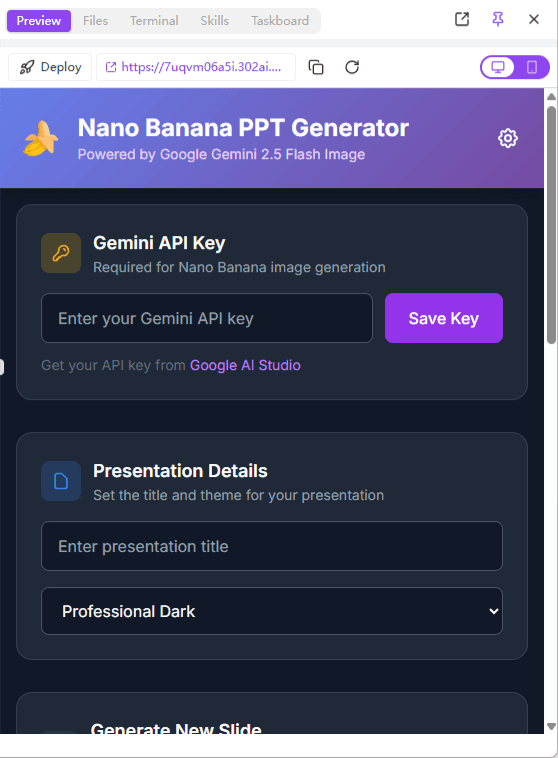 | 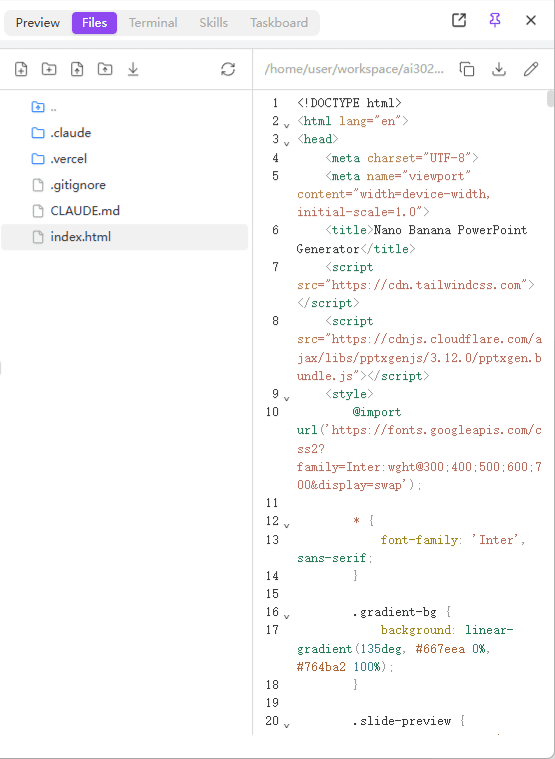 | 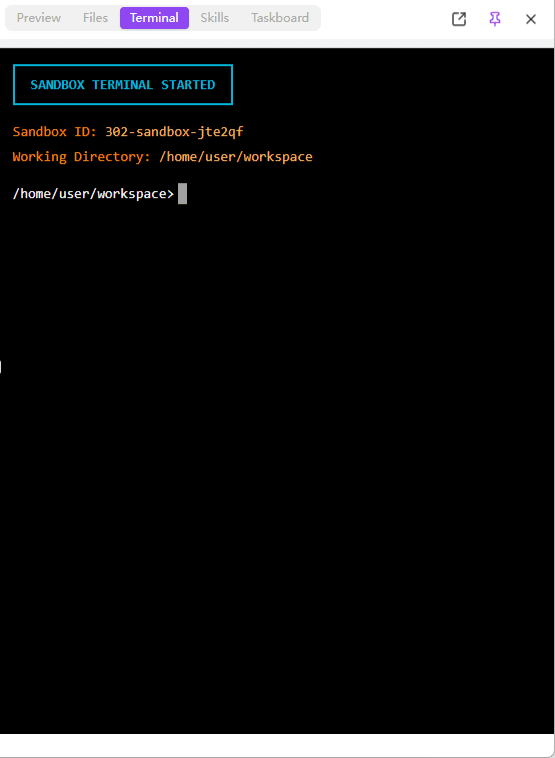 |
Tip
If you encounter UI issues, sending a screenshot to the AI is the most efficient way to communicate. The AI can understand error messages or interface problems in screenshots and provide targeted solutions.
☁️ Cloud File Sync
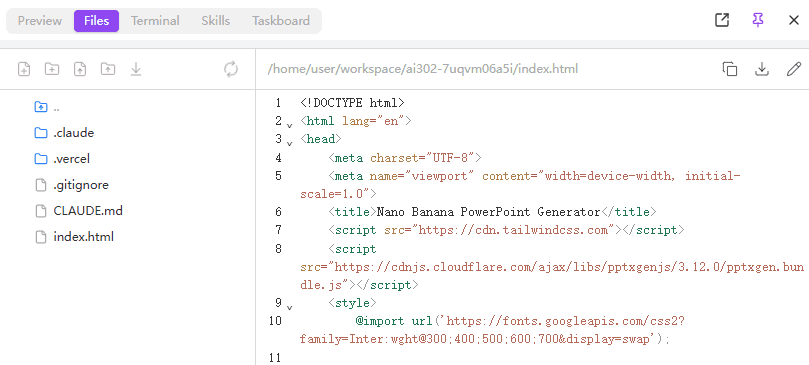
In the “Files” menu, you can:
| Feature | Description |
|---|---|
| Upload Files | Upload reference images, designs, and materials for the model |
| Download Project | Download your finished project files locally |
| Persistent Storage | Save your data in the cloud for syncing across devices |
Your project files are stored in the cloud, so you can continue your work on different devices.
🎯 Pre-installed Claude Skills
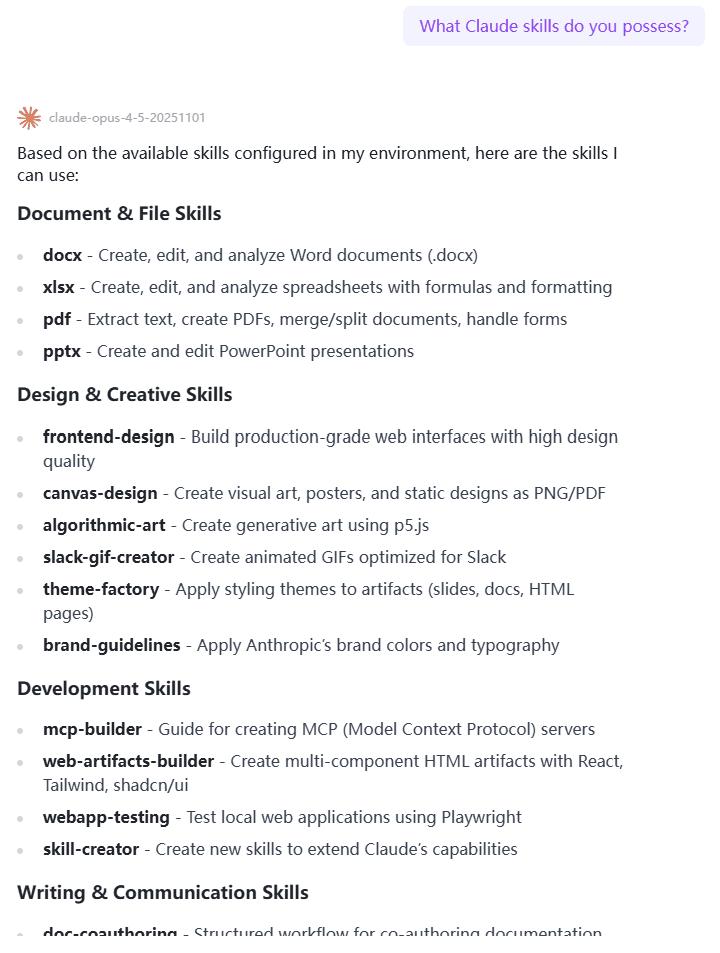
If Claude Code is your agent, then Claude Skills are its high-tech tools.
Normally, manual installation means searching for code, reading documentation, editing configs, and dealing with dependency errors. With 302 AI Studio, the most practical official Skills are pre-installed: the moment you open the sandbox, your Claude is fully "geared up" and ready to go—maximum functionality, right from the start.
Pre-installed Skills Include
- Best practices for frontend design
- Code standard and style guides
- Guides for popular frameworks
- And more useful skills...
🔔 Desktop Notifications
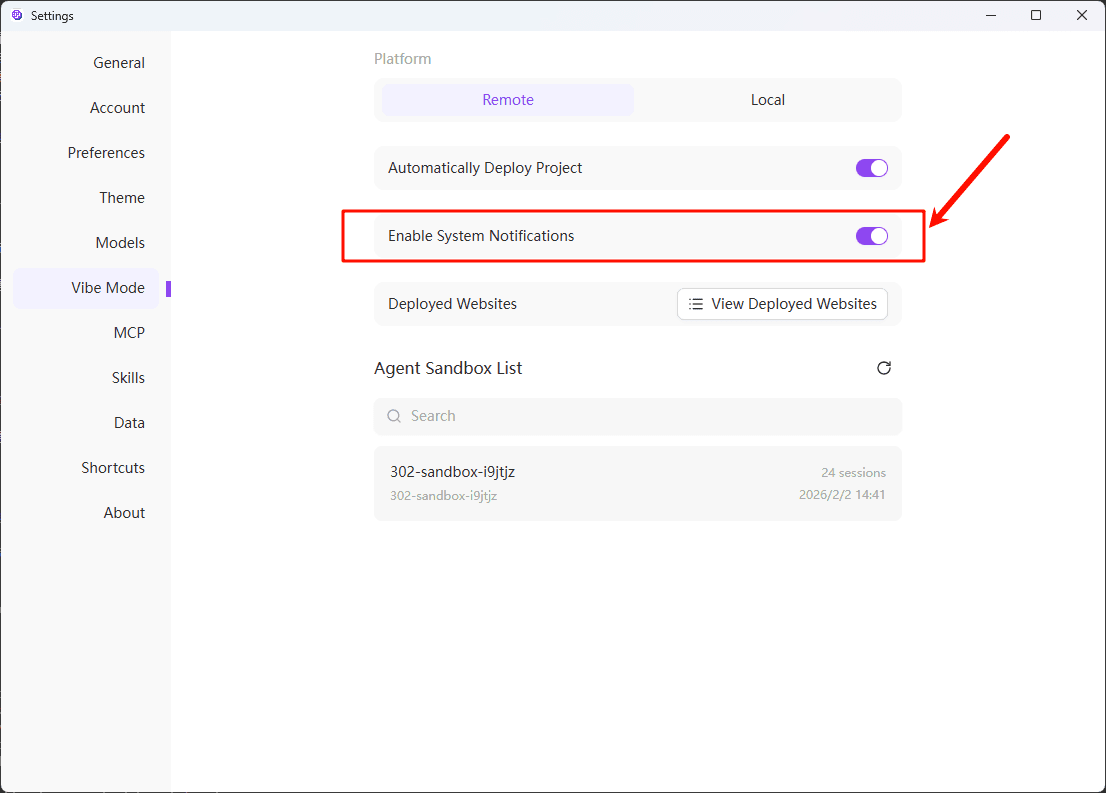
When Vibe Mode is inactive (window minimized or switched to another tab), you'll automatically receive desktop notifications on task completion. You can focus on other work—AI will notify you when it's done.
You need to enable "System Notifications" under "Settings" - "Vibe Mode" to receive these alerts.
🚀 One-Click Deployment
We’ve cleared the "last mile" of Vibe Coding for you.
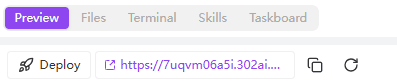
Click the "Deploy" button to instantly, intelligently deploy your project—whether it’s a simple static site or a complex frontend app—publicly on the web with just one click.
Deployment Highlights
- No server needed - No server purchase or configuration required
- No domain needed - Access link generated automatically
- Instant online - One click deploys in seconds
- Persistent hosting - Projects remain available after deployment
Deployment Costs
Static sites deployed on the 302.AI platform are currently free to host.