Slash Commands
302 AI Studio supports using slash commands in different modes to execute specific functions.
Chat Mode Commands
Chat mode focuses on conversational interactions and supports quick access to prompt templates.
Command List
| Command | Description |
|---|---|
/ | Quick access to prompt templates |
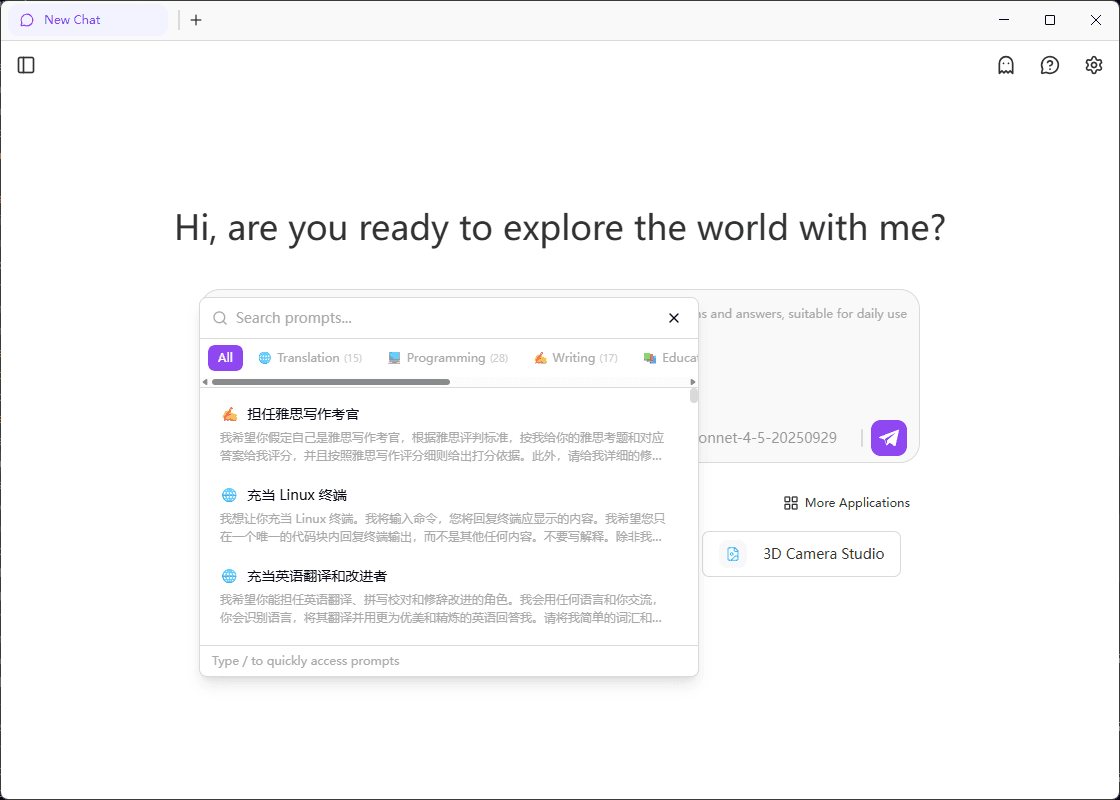
/ - Quick Access to Prompt Templates
You can quickly call and insert preset prompt templates by typing / to improve conversation efficiency.
How to Use:
- Type
/in the chat input box - The system will automatically display all available prompt templates
- Select the desired template to insert it into the input box
Features:
- 🚀 Quick Access: Trigger the template list by typing
/ - 📝 Preset Templates: Built-in various commonly used prompt templates
- ⚡ Efficient Input: No need to manually type complete prompts
Vibe Mode Commands
Vibe mode provides powerful development tools, supporting command execution, application deployment, and plugin usage.
Command List
| Command | Description |
|---|---|
/commands | Execute Shell commands |
/deploy | Deploy applications |
/plugin | Use Claude Code plugin commands |
/commands - Execute Shell Commands
Execute Shell commands directly in the sandbox to quickly complete environment configuration and tool operations.
Basic Usage:
/commands 'ls -la'Install Dependencies:
/commands 'npm install express'View System Information:
/commands 'node --version'/deploy - Deploy Applications
Quickly deploy your application to the cloud and obtain an accessible URL.
Basic Deployment:
/deployDeploy Specific Session:
/deploy <session_id>Configure Runtime Environment Variables:
/deploy
API_KEY=your_key
DATABASE_URL=your_db_url
/plugin - Use Plugins
Extend Claude Code functionality through plugins to access more tools and services.
View Installed Plugins:
/plugin listAdd Plugin from Marketplace:
/plugin add marketplaceInstall Plugin:
/plugin install <plugin_name>Disable Plugin:
/plugin disable <plugin_name>Enable Plugin:
/plugin enable <plugin_name>References
For more technical details and API specifications, please refer to: