WeCom
1. Create an Intelligent Bot in WeCom Admin Console
1. Register and Log in to WeCom
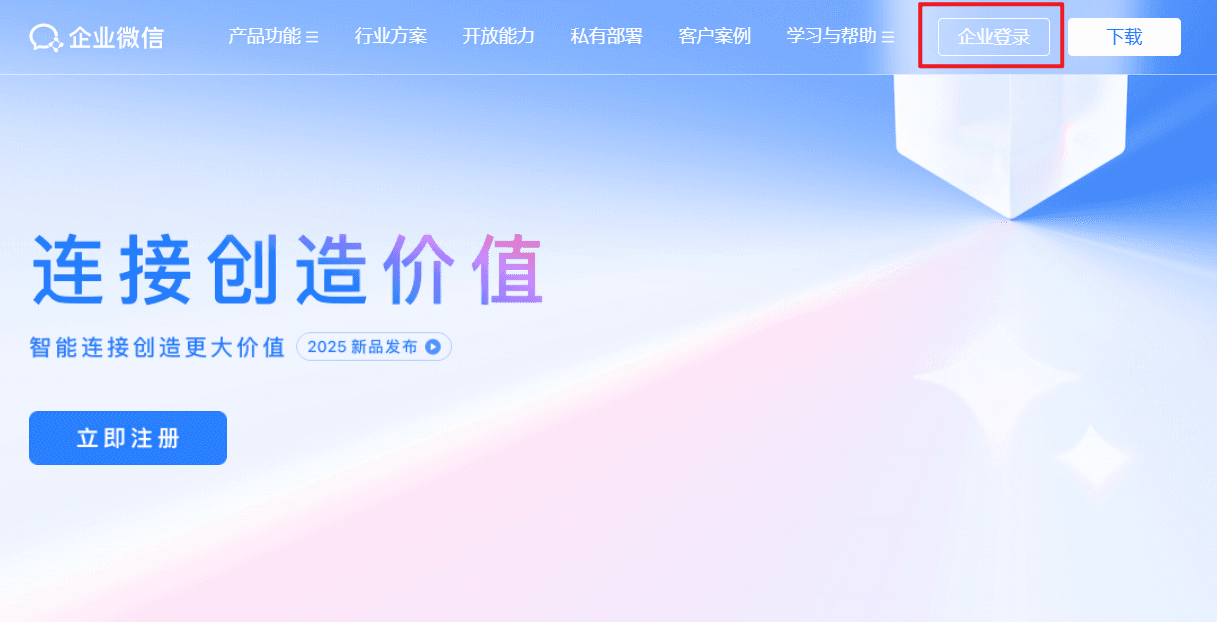
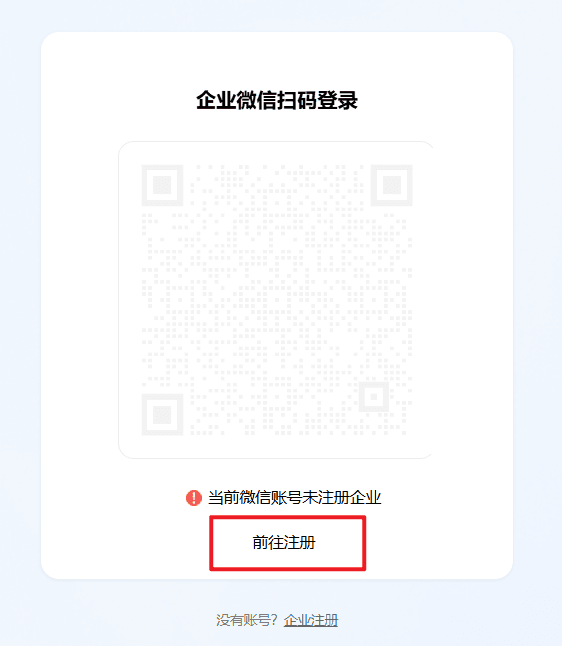
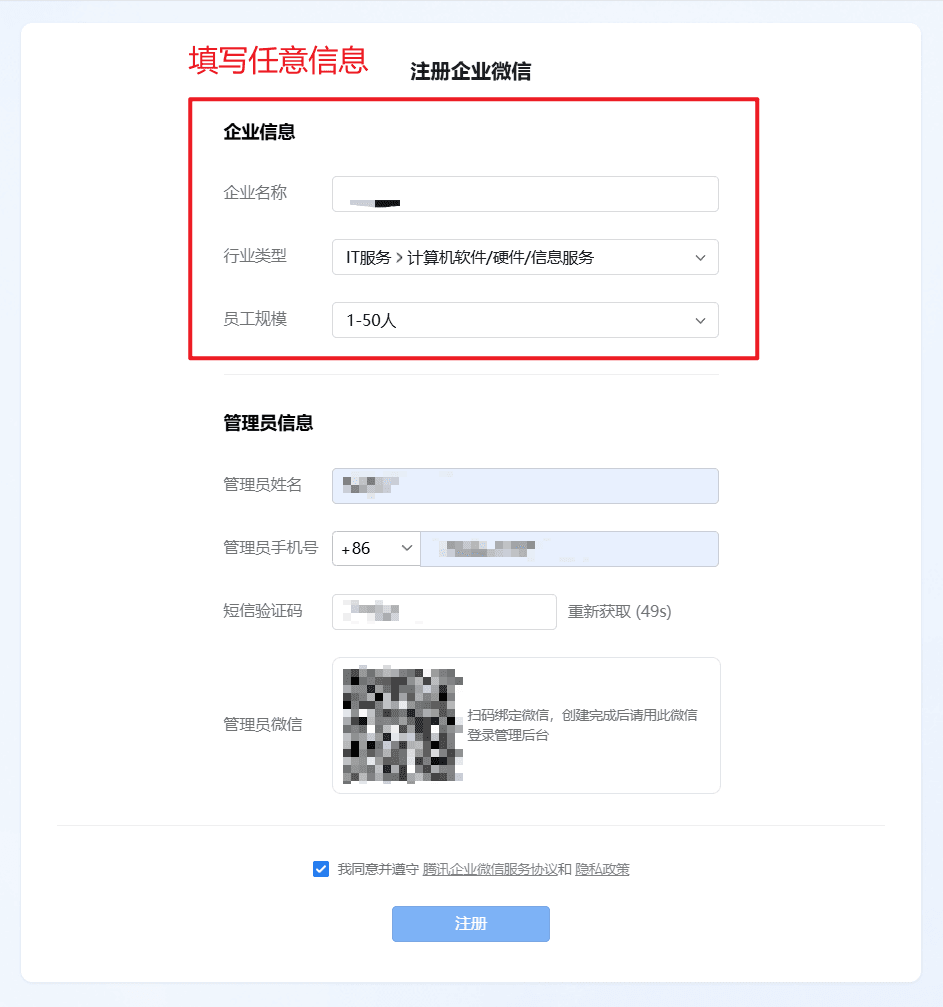
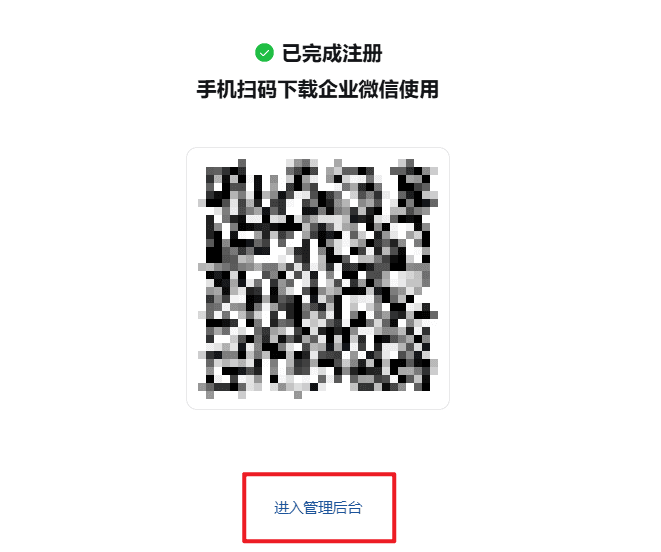
Visit https://work.weixin.qq.com/, follow the page prompts to register and enter the admin console.
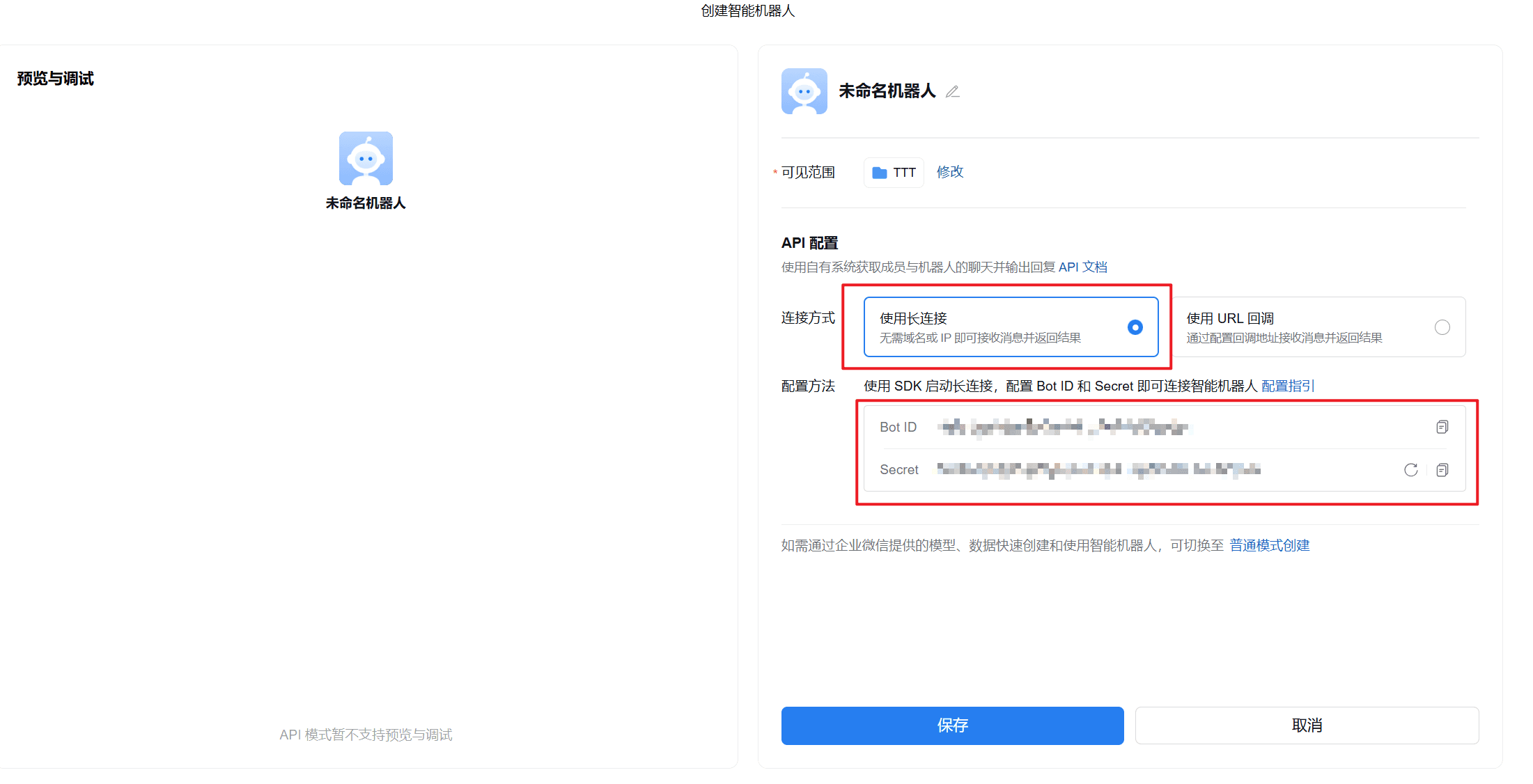
2. Create an Intelligent Bot and Enable WebSocket API
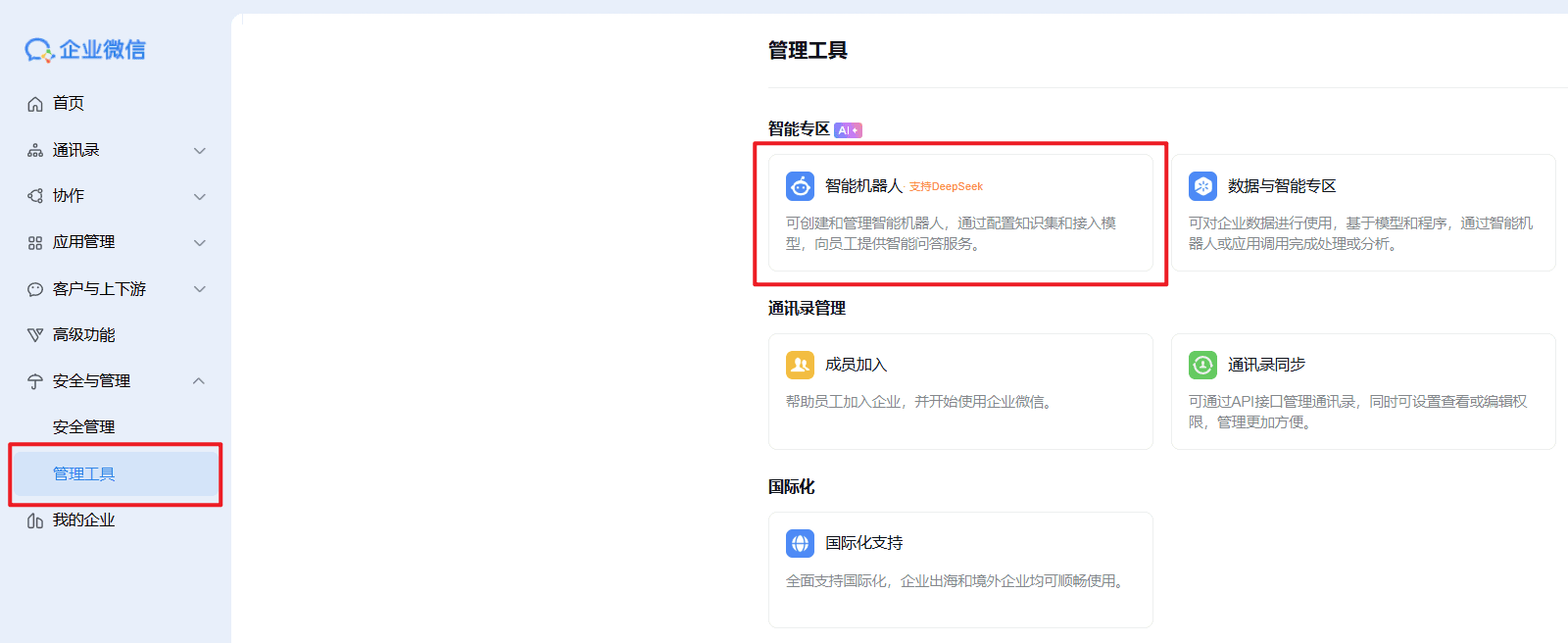
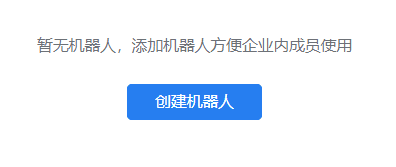
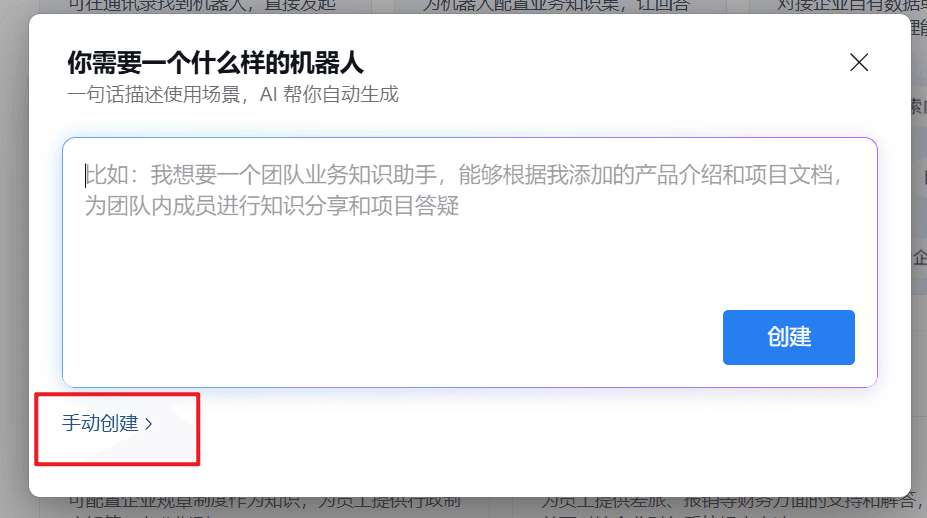
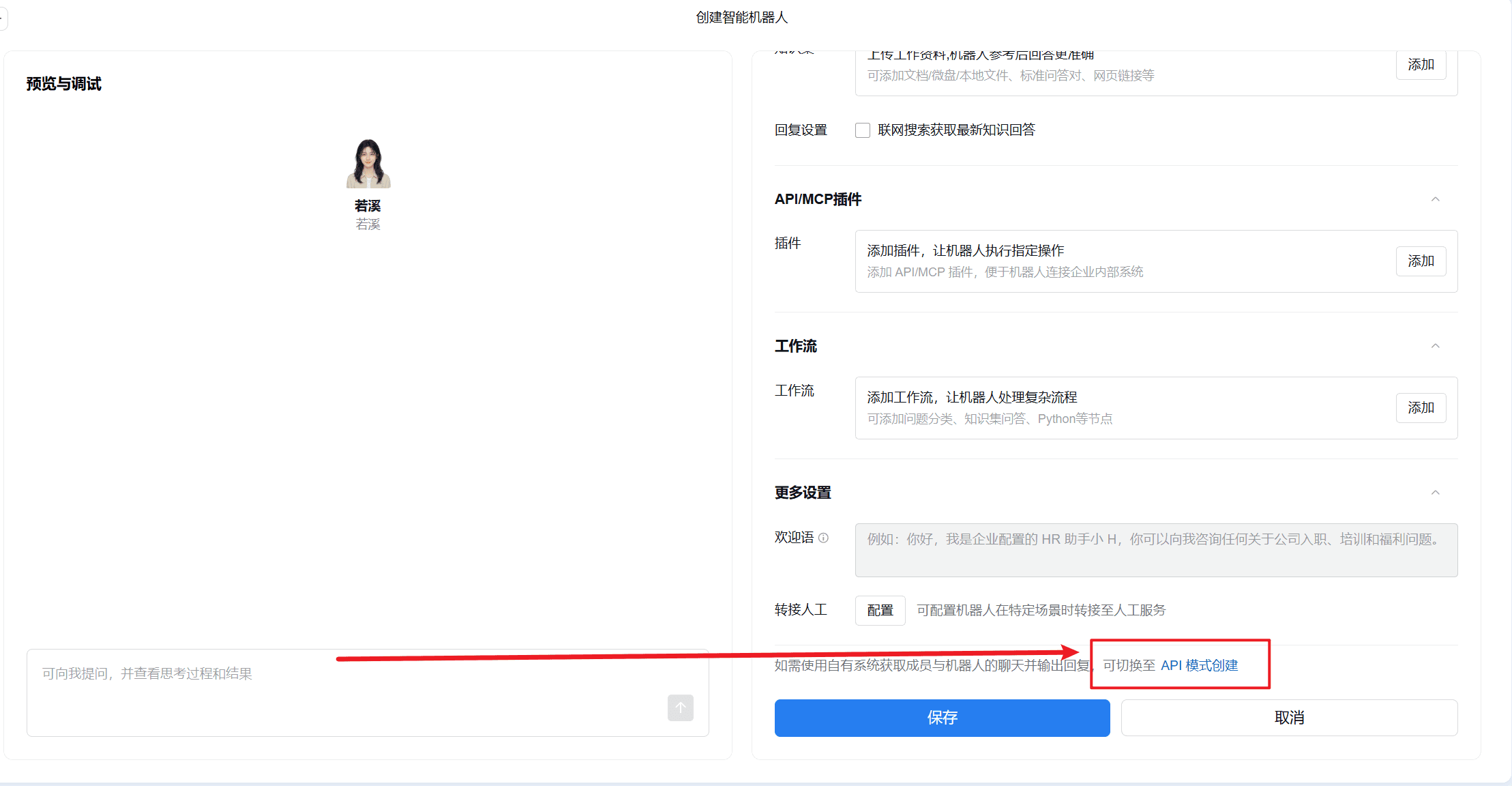
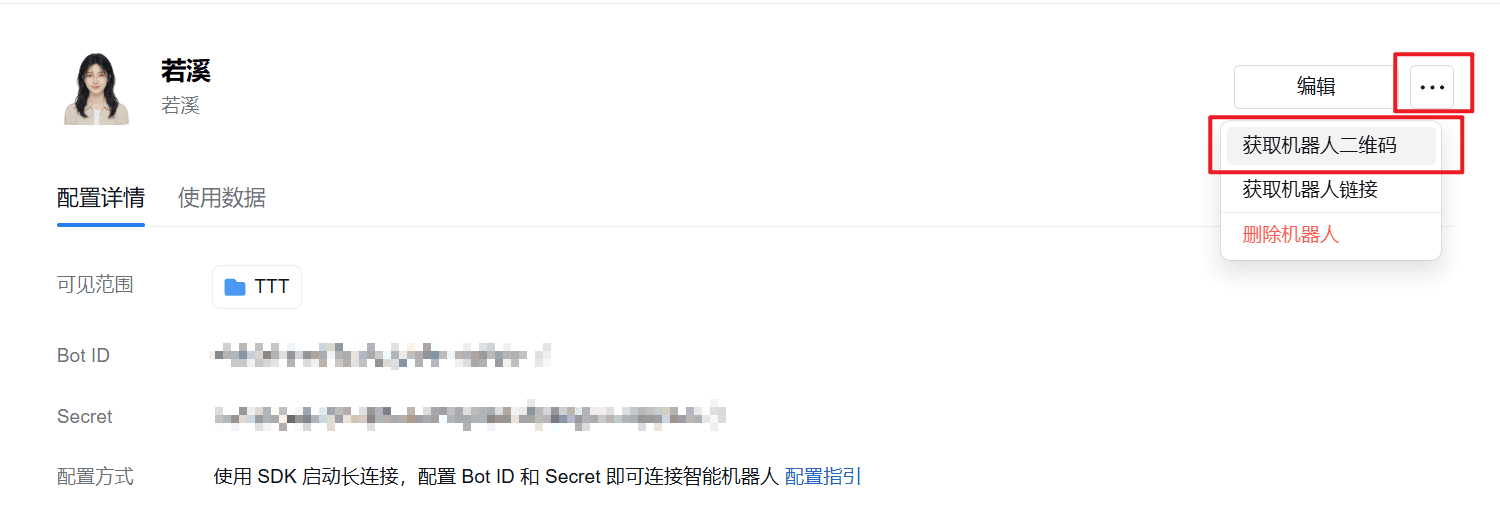
3. Bot QR Code
2. Start the Service
Complete this channel’s configuration in the 302 AI Studio client under Settings → Vibe Mode: enter your BotId and Secret, then click Update Configuration. The gateway will restart automatically, after which you can chat normally in WeCom.